Tomb of the Mask turns a vertical maze into a fast chain of sliding decisions. Once you choose a direction, the character keeps moving until a wall or obstacle stops the run. Finding the mask adds the defining twist: the hero can climb walls quickly.
That movement makes every corner feel urgent. A safe-looking turn can send you into spikes, hidden spikes, or enemies. Dots, coins, and stars reward careful route planning, but wandering wastes space and invites mistakes. Quick retries help you learn each room’s rhythm.
The game began as a retro arcade-style maze adventure. Happymagenta UAB released it in 2016, and it later reached mobile, browser, and Switch releases. If you want a quick arcade puzzle challenge, play Tomb of the Mask online here and test your first route.
Tomb of the Mask: Core Loop and Pace
Sliding Movement
Choose a direction, then let the slide begin. The character moves through the vertical labyrinth in one continuous line. You do not guide every step. Instead, you select the next direction and watch the character travel until a wall or obstacle stops the movement.
That rule keeps the controls simple, yet makes each input matter. Arrow Keys move in the chosen direction. On supported touch play, swipe-to-slide movement gives the same direct feel without adding extra commands. The mask changes the movement fantasy further. Finding it lets the character climb walls quickly, opening a stronger sense of vertical motion.
Think in stopping points, not single spaces. A wall can save a run, while a poor line can carry you straight into danger. The best players read the next landing spot before they commit.
Why Every Turn Matters
A turn does more than change direction. It decides where the next slide ends and which hazards appear in your path. Miss one safe stopping point, and the following move may become impossible. Spikes, hidden spikes, and enemies punish late corrections.
Mistakes also snowball because movement continues after the input. You cannot casually walk back from a bad choice. Quick retries make that pressure fair. Each failed run shows which corner needed a different line, so the next attempt starts with useful knowledge.
First Seconds of a Run
Use the opening moments to read the nearby walls. Spot the first stopping point before chasing collectibles. Then choose a line that keeps future turns open. The early route sets your rhythm, and a rushed first move can make the rest of the run harder than necessary.
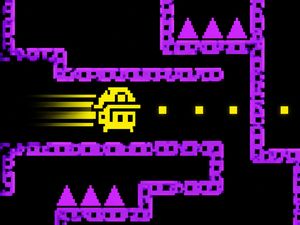
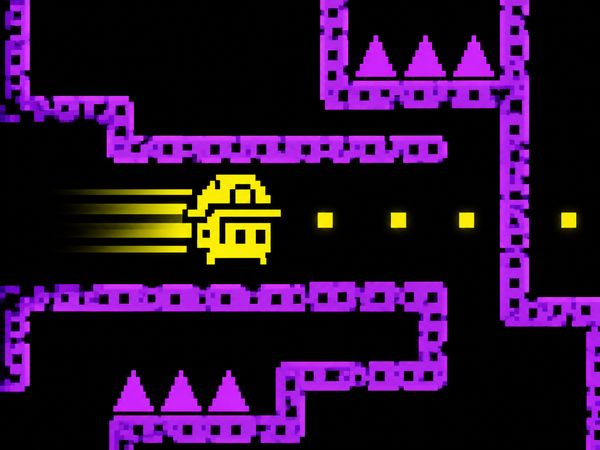
Tomb of the Mask gameplay
Choosing the Right Mode
Tomb of the Mask focuses on singleplayer arcade puzzle play. That keeps the rivalry inside your own decisions. You compete against your last attempt, your best route, and the pressure created by each new room. No teammate needs to cover a mistake, so every turn belongs to you.
Stage Mode gives that challenge a clear structure. Treat each stage as a route-reading exercise rather than a simple race. First, identify walls that can stop your slide. Next, note hazards near likely turns. Then look at the position of dots, coins, and stars. This order helps you avoid chasing a collectible into a dead end.
Stage Mode also suits short sessions. Start with a safe line, learn the room, and retry with a cleaner path. Do not change several decisions at once. Keep the opening move, adjust the risky turn, and see whether the new route improves the run. That method turns failure into a practical test.
The vertical labyrinth rewards players who think ahead. A route may look open from the start, yet close after one wrong slide. Leave yourself a useful stopping point whenever possible. Walls are not only barriers; they also control your next decision.
Remember the mask’s role as you move upward. Finding the mask lets the character climb walls quickly, which matches the game’s unusual movement fantasy. It does not remove the need for planning. A faster climb still needs a safe destination, especially when spikes or enemies guard the next section.
Use Left Click to select browser menus and start options. Once the run begins, Arrow Keys move in the chosen direction. Keep your inputs deliberate. A clean command followed by a full slide works better than frantic repeated presses.
Collecting Dots, Coins, and Stars
Dots as Progress
Dots give each route a clear collection goal. They encourage you to scan the room before moving, then connect several safe lines into one plan. Do not treat every dot as an immediate target. Check the stopping point beyond it first.
An efficient dot route uses the maze’s walls well. One slide can position you for the next collection line, while a careless turn can strand you away from the remaining dots. Build progress through connected movements. The fewer empty detours you take, the more control you keep.
Coins as Route Value
Coins add another reason to study the room. A coin may sit beside a tempting turn, but the shortest path is not always the safest one. Compare its position with nearby spikes, hidden spikes, and enemies before committing.
Value the route, not just the pickup. A clean line toward several useful points beats a long wander toward one coin. When a coin forces a risky angle, protect the run first and collect it only when the stopping point remains sound.
Stars and Clean Clears
Stars make route efficiency feel visible. Reach them through tidy lines rather than random changes. A clean clear comes from reading the room early, using walls to stop, and avoiding needless turns.
Start playing Tomb of the Mask here, then chase a cleaner collection route on your next retry.
Hazards That Shape Routes
Spikes and Hidden Spikes
Spikes turn open space into a question. Before sliding, check where the character will stop and what lies along the full line. A clear starting square means little if the path ends inside a hazard.
Hidden spikes demand even more care. Avoid assuming that an empty-looking section stays safe through the entire movement. Read the shape of the labyrinth, then favor a line with a reliable wall or obstacle ahead. Conservative movement saves attempts when the room offers limited recovery.
Enemies create a second kind of route pressure. They make you consider timing and position while you plan the next turn. Do not let a collectible force you toward a crowded path. A safer exit often matters more than a quicker pickup.
Use short mental checks before every command: direction, stopping point, hazard, exit. This takes little time once it becomes a habit. It also prevents the common mistake of reacting to the current space while ignoring the next one.
Tomb of the Mask on Browser and Mobile
Mobile Play Feel
The mobile form suits the game’s direct movement. Swipe-to-slide movement turns each gesture into a clear directional choice. That keeps the focus on route reading instead of complicated controls. Short sessions work well because a failed run restarts the decision process quickly.
Hold your swipe direction in mind before moving. The character will continue along the chosen line, so a careless gesture can carry you past a safe turn. Start by checking the nearest wall, obstacle, or hazard. Then swipe toward a stopping point that leaves room for the next decision.
The mask adds a distinct physical feel to the maze. Finding it lets the character climb walls quickly. That ability gives vertical paths their identity, but it does not replace careful movement. You still need to judge where the climb leads and which hazards surround the landing.
Switch Controls
The game also expanded to Nintendo Switch after its mobile releases. When using a keyboard in browser play, Arrow Keys move in the chosen direction. Use Left Click to select browser menus and start options. Keep each command clear, since the slide carries the character forward.
Across these control setups, the core idea stays direct: choose a direction, follow the line, and plan the stop.
Try Tomb of the Mask again on this page. Aim for one smarter turn, then build from there.
Tomb of the Mask Progression and Masks
Level Advancement
The level system gives your runs a sense of forward movement. Advancement comes through continued stage play and better route choices. Each attempt helps you understand how the vertical labyrinth uses walls, hazards, and collection points together.
Track progress through improved decisions, not just speed. A safer opening and cleaner exit can matter more than a reckless shortcut.
Mask Bonuses
Masks connect progression with the game’s main movement idea. Finding the mask lets the character climb walls quickly. That wall-climbing ability explains why the maze feels different from a flat arcade route.
What Progress Changes
Progress changes how confidently you read each room. You learn to spot stopping points sooner and judge hazards before sliding. The level system also gives retries more purpose, since every failed route can sharpen your next decision.
With practice, the maze feels less chaotic. You begin seeing lines instead of isolated turns.
✨ Key Features of Tomb of the Mask
- Swipe-to-slide movement
- Stage Mode
- Arcade Mode
- Vertical labyrinth
- Hidden spikes
- Level system
How to Play Tomb of the Mask
Step 1: Use the game controls
Use Arrow Keys to move in the chosen direction. Use Left Click to select browser menus and start options.
Step 2: Use walls to control speed
Plan turns around corners and safe stops, since you cannot brake freely.
Step 3: Collect valuable path items
Grab dots, coins, and stars when they sit on a safe line.
Step 4: Push for cleaner exits
In stage-based play, finish each room efficiently and reach the exit quickly.
Step 5: Use progression wisely
Spend earned progress on masks and bonuses when the game offers advancement.
Tomb of the Mask FAQs
What are the controls for Tomb of the Mask?
The tested controls are Arrow Keys — Move in the chosen direction; Left Click — Select browser menus and start options.
Do I need to download anything to play Tomb of the Mask?
No. Tomb of the Mask runs in the browser on this page, with no download, plugin or account.
Conclusion
Tomb of the Mask is a compelling arcade puzzle experience built around a wonderfully distinctive idea. In this singleplayer game, finding the mask lets the character climb walls quickly, creating a memorable movement fantasy and giving every decision added importance. Its focused design makes the mask more than an object—it is the defining twist that shapes the adventure.
Released in 2016 by Happymagenta UAB, Tomb of the Mask remains an appealing choice for players who enjoy inventive puzzles and clear, responsive controls. Use the Arrow Keys to move in the chosen direction, and Left Click to select browser menus and start options. Discover the mask and experience this fast, focused challenge for yourself—play Tomb of the Mask right here on this page.
Tomb of the Mask Game Image

No comments yet. Be the first to share your thoughts!