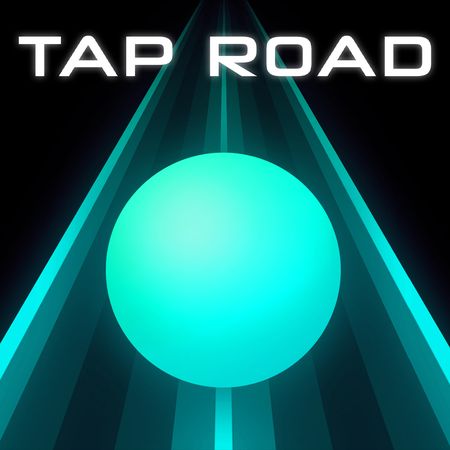
Tap Road puts one button between you and a wall of spikes. A sphere rolls down a neon track, and every press sends it to the other side of the road. Azgames built it as a minimalist reflex test, and the track keeps getting faster the longer you last.
The rules fit in one sentence, but the nerve you need grows every second. You dodge sharp obstacles, grab sapphires, and chase a longer run than your last one. Each crash sends you straight back to the start, which makes "one more try" almost impossible to resist.
Ready to see how far your reflexes can carry you? Start your first run here and learn the rhythm by feel.
Mastering Tap Road Lane Switching
The Single-Input Mechanic
Everything in Tap Road comes down to one action. Each click or tap flips the sphere to the opposite side of the road. You never steer, brake, or aim. You only decide when to flip.
You can trigger that flip several ways. On a keyboard, press Space or the Up Arrow. With a mouse, use Left Click. On mobile, just tap the screen. All of them do the exact same job, so pick whichever feels fastest under your hand.
The track is endless and speeds up over time. Early on, you have plenty of room to breathe, and a lazy tap still works. Later, the gap between spotting a hazard and needing to react shrinks fast. The sphere never changes how it moves. Only the clock gets tighter.
That is what makes the mechanic deceptive. A single input sounds easy, yet each press is a commitment. You cannot cancel a flip halfway, and you cannot hold the sphere in place. Treat every tap as a decision, not a reflex, and your runs will last longer.
Navigating High-Speed Turns
Once the pace climbs, the road stops feeling like a set of separate choices. It turns into a flowing pattern of lefts and rights. You tap, the sphere crosses over, and the next hazard is already close. Stay loose, keep your hand steady, and avoid mashing the button out of panic. A calm tap at the right moment beats three frantic ones.
Hazard Types and Run-Ending Obstacles
Deadly Spikes and Sharp Barriers
The road is lined with sharp obstacles on its left and right rails. Some sit on one side and leave the other clear. Others come in clusters that force you to flip, then flip back almost right away. Reading which rail is blocked is the whole job.
Spikes are the main danger, and they punish lazy timing. If you tap too early, you may land in the lane that just got blocked. If you tap too late, the sphere clips the edge of a hazard you thought you cleared. The window is small, and it shrinks as the track speeds up.
Look at the spacing between obstacles rather than the obstacles themselves. A wide gap gives you time to reset your hand and breathe. A tight gap means your next two taps are already decided. Learning to tell those two situations apart is what separates a short run from a long one.
Do not expect the layout to repeat in a way you can memorize. The neon track is procedural, so every run puts the hazards in a fresh order. That keeps you reading the road instead of memorizing a route.
Instant Failure Conditions
There are no hit points in Tap Road. Touch any obstacle and the run ends on the spot. You get no recovery frames, no second chance, and no shield to absorb a mistake. That makes every tap count, because a single slip erases the whole run. Accept that early, and you will stop blaming bad luck and start fixing your timing.
Collecting Sapphires and Visual Customization in Tap Road
High-Risk Sapphire Placement
Sapphires are the reason you sometimes take a bad line on purpose. They rest close to dangerous spikes, and the game places them to pull you toward the edge of a hazard. Grabbing one means trusting your timing down to the last moment.
This creates a real risk-reward choice on every stretch of road. You can ignore the gem, stay safe, and keep your run alive. Or you can lean into the danger, collect it, and hope your tap lands cleanly. Neither option is wrong. The right call depends on how fast the track is moving and how steady your hands feel.
A good habit is to judge the gem only after you have read the obstacles around it. If the path to it needs a perfect tap and the next hazard follows right behind, skip it. If the lane is clear for a beat afterward, go for it. Gems are worth chasing when you can still survive the landing.
Unlocking Ball and Track Cosmetics
The gems and sapphires you collect unlock custom skins for both the ball and the track. You can swap in different ball shapes and track themes to change how a run looks. These are cosmetic changes, so they add personality rather than any edge on the road.
Scoring Dynamics and Performance Tracking
Distance-Based Score Scaling
Your score grows with the distance you survive. The longer you stay alive, the higher the number climbs. There is no combo to maintain and no trick to chain. Survival is the score.
That simple link shapes how you should think about risk. A sapphire grab that ends your run costs you far more than the gem is worth if you were on a long streak. A safe tap that keeps you moving always adds to your total. When a run is going well, protect it.
It also means progress is easy to read. If you beat your last attempt, you went farther. If you did not, you crashed sooner. Compare runs by how long you lasted, and you will quickly see whether a new habit helped or hurt.
Using the Statistics Dashboard
Tap Road includes a built-in statistics dashboard. It records your run distance and your personal bests, so you can check your progress without keeping notes. Open it after a few sessions and compare your longest runs. Steady growth there tells you your timing is improving, even when single runs feel unlucky.
Strategies for Surviving Late-Game Velocity
Visual Anchor Points
Stop watching the sphere. It only ever sits on the left or right, and you already know which. Your eyes belong farther up the track, on the hazards that are about to arrive. Pick a spot near the top of the screen and read the obstacles as they come toward it.
Looking ahead gives you more time to act. By the time a spike reaches the sphere, you should already have decided what to do about it. If you only react when the danger is close, the late-game speed will beat you every time. Train your gaze to stay forward, and the road will feel slower than it is.
Buffer Switching Techniques
Find a steady beat and tap in time with the pattern. Rhythm keeps your hand from rushing or freezing. When a clear stretch appears, use it to reset your timing rather than tapping for no reason. A short, calm pause is a useful buffer before the next cluster arrives.
If you enjoy this kind of speed, try Drift boss, Slope, or Tunnel Rush next. Then come back and set a new distance record here.
Compare with Similar Games
| Game |
Why Similar |
| Slope |
Both feature endless 3D running/rolling gameplay where the objective is to travel as far as possible down an obstacle-filled track without falling off the sides or crashing. |
| Tunnel Rush |
Both are fast-paced reflex runners requiring the player to rapidly steer around incoming static and moving hazards to survive as long as possible. |
✨ Key Features of Tap Road
- Endless procedural neon track that scales in speed over time
- High-risk collectible sapphires placed near hazardous spikes
- Unlockable ball shapes and customizable track themes
- Integrated statistics dashboard tracking high scores and distance records
How to Play Tap Road
Step 1: Start the Run
Click or tap the game screen to set the sphere in motion along the central neon track.
Step 2: Collect Roadside Sapphires
Align your sphere with sparkling gems placed along open lanes while avoiding adjacent hazards.
Step 3: Monitor Upcoming Patterns
Direct your focus toward the horizon to anticipate consecutive spike formations as movement speed climbs.
Step 4: Unlock New Cosmetics
Access the customization menu between attempts to spend your gathered gems on ball models and track styles.
Tap Road FAQs
What are the basic controls for Tap Road?
Browser keyboard: Player 1: Space — switch lanes; Player 1: Up Arrow — switch lanes. Browser mouse: Left Click — switch lanes. Mobile: Tap — switch lanes.
Can I play Tap Road on mobile devices?
Yes. Tap Road runs in your phone or tablet browser, and it has touch controls. There is also a mobile app.
Do I need to download Tap Road?
No. Tap Road runs in your browser on this page, with nothing to download or install.
How does a run end in Tap Road?
A run ends instantly whenever your sphere touches a sharp obstacle or spike on either side of the track. There are no checkpoints or health pools, so a single collision requires starting over.
What are the gems used for in Tap Road?
The sparkling sapphires and gems collected during a run serve as currency in the shop. You can spend them to unlock different ball shapes, vibrant skins, and alternate track themes.
Conclusion
Tap Road is a straightforward endless runner that keeps everything focused on one action: switching lanes. Whether you press Space, hit the Up Arrow, left-click with the mouse, or simply tap on a mobile screen, the control scheme stays refreshingly simple and easy to pick up.
Ready to test your reflexes? Jump in and play Tap Road right here on this page.

No comments yet. Be the first to share your thoughts!