Golf Orbit turns every swing into a race for distance, sending a golf ball toward a cosmic journey with one well-timed launch. This physics-based arcade golf simulator skips the full eighteen-hole round. Instead, each attempt focuses on one shot, a power meter, and the distance you can reach.
Your result feeds a distance-based progression system. Reward points support upgrades for strength, speed, and bounce, giving each run a clear reason to continue. The single-player format keeps the focus on your next launch.
TapNation keeps the idea simple and quick to understand. You aim for a stronger attempt, watch the ball travel, and improve the run through progression. Play Golf Orbit online now and see how far your next shot can go.
Golf Orbit gameplay
What Makes Each Swing Matter
Golf Orbit builds its gameplay around one-shot attempts. You do not manage a full golf round here. You prepare one launch, release the shot, and measure the distance that follows. That narrow focus makes every attempt easy to read.
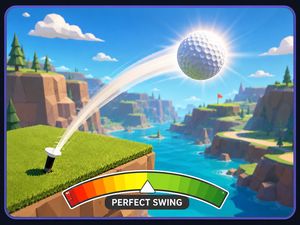
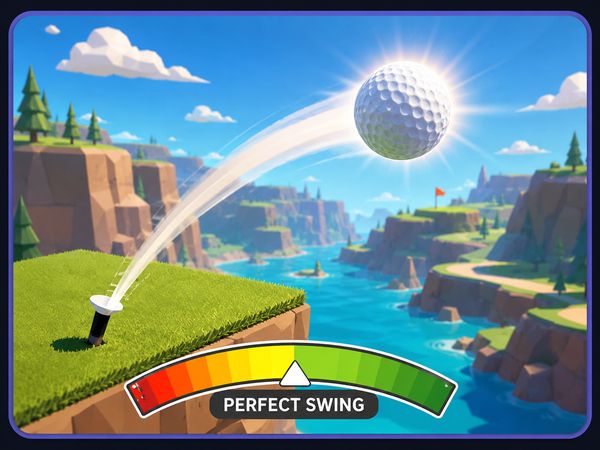
Hold the click to use the power meter, then release when you want the launch to happen. The action stays simple, but the result can change the whole run. A stronger launch can push the ball farther through the course.
Beat the previous distance, then build from there.
Reward points add a longer-term layer. Strength upgrades support the force behind your shot. Speed upgrades affect the run's speed-focused progression, while bounce upgrades add another upgrade path. These three named upgrade types give reward points a clear job.
Keep your attention on the launch itself. Golf Orbit does not ask you to learn a large control scheme. It asks for a controlled hold, a release, and another attempt when the run ends. That tight loop suits short sessions and quick restarts.
Why the Game Feels So Different
Golf Orbit feels different because it treats golf as a launcher game. The goal is not to complete a set of holes. The goal is to send one ball as far as possible and keep distance moving upward.
The cosmic distance theme gives the run a bigger sense of scale. A single swing can carry the ball far beyond a normal golf setting. That contrast powers the game's identity: familiar golf input, arcade movement, and long-distance progression.
Its single-player focus also keeps the pace personal. You test the next launch against your own previous result. The simple controls leave room for the physics and distance to provide the drama.
Courses, Worlds, and Distance Milestones
Moving Beyond Earth
Each launch connects the familiar act of hitting a ball with an arcade trip through far-reaching space.
That theme works because the game measures progress in distance. You are not simply moving from one hole to another. You are pushing a single attempt farther and watching the run develop around that result. The farther the ball travels, the more the journey defines the session.
Think of the course as a path for momentum. The shot begins with a hold-and-release power meter. After release, the ball's travel becomes the main event. Strength, speed, and bounce upgrades give the progression system three ways to support future attempts.
Golf Orbit keeps this structure easy to follow. Launch the ball, check the distance, and return to the next attempt. The cosmic setting supplies the visual scale, while the distance system supplies the reason to keep going.
What Unlocks as You Travel Farther
Distance-based progression gives every run a clear marker. Your travel records how far the attempt reached, while reward points support continued improvement. The game does not need a full round to create a sense of movement.
Spend those points across the established upgrade paths: strength, speed, and bounce. Each category gives progression a different focus without changing the basic control. You still hold the left mouse button and release the power meter for every shot.
That loop makes long-distance play easy to understand. Reach a result, build progression, and try another launch. The next milestone comes from extending the journey rather than completing a traditional scorecard.
Why New Worlds Change the Run
The cosmic theme changes the feeling of each attempt. A launch becomes a long journey instead of a short golf stroke. Distance stays at the center, while the setting makes that distance feel meaningful.
With strength, speed, and bounce upgrades available, progression gives later attempts a different shape. The core input remains simple, but the distance goal keeps moving outward.
Start another Golf Orbit run here and chase a longer launch.
Golf Orbit on Browser and Mobile
Free Browser Access
Open the game, use the mouse, and focus on the next shot.
The browser version suits the game's compact design. Hold the click for the power meter, then release it to launch the ball. The game keeps the action centered on distance, physics, and reward-point upgrades.
Browser play also fits short attempts well. You can begin quickly, test a launch, and return for another run. The single-player structure keeps the experience direct, with no need to manage a team or a full match.
Phone and Tablet Versions
Mobile listings exist on Google Play and the App Store. These versions bring Golf Orbit's casual golf launcher format to phones and tablets. The same broad idea remains easy to grasp: make one shot, travel a distance, and build progression.
TapNation developed the game around fast arcade golf rather than a full course simulation. That makes the mobile format a natural fit for brief sessions. Distance, reward points, and upgrades remain the important progression ideas.
What Stays the Same Across Versions
Golf Orbit keeps its main identity across its available formats. It remains a single-player, physics-based golf launcher built around distance. Strength, speed, and bounce upgrades continue to define progression.
The exact input can depend on the format.
Clubhouse Swaps and Cosmetic Progress
Changing the Golfer
The golfer gives the run a visible identity beyond the launch itself. Keep that presentation separate from the mechanics that drive distance. Golf Orbit's confirmed progression centers on reward points and three upgrade paths: strength, speed, and bounce.
When reviewing a golfer change, focus on what affects the attempt. The distance result remains the key measure.
Ball Color Options
Ball color belongs to the visual side of the Golf Orbit experience. It does not replace the game's central loop. Each attempt still begins with the power meter and ends with a distance result.
Keep your upgrade choices tied to the named progression paths. Strength, speed, and bounce matter to the reward-point system; color does not need to define the run.
When to Spend Progress
Use reward points when you want to develop the next attempt. Strength, speed, and bounce are the established upgrade choices. Pick the path that matches the part of the run you want to improve.
Cosmetic presentation and gameplay progress serve different purposes. Track distance for performance, then treat visual changes as a separate clubhouse choice.
✨ Key Features of Golf Orbit
Hold-and-release power meter
Distance-based progression
Strength upgrades
Speed upgrades
Bounce upgrades
Coin or reward-point progression
How to Play Golf Orbit
Step 1: Start a fresh launch
Open the game and begin a run. Golf Orbit immediately puts the focus on your next shot.
Step 2: Release at the right moment
Let go when the meter reaches a strong launch zone. A cleaner release usually sends the ball much farther.
Step 3: Follow the flight
Track how the ball bounces and travels after launch. Each bounce can add useful distance.
Golf Orbit FAQs
What are the basic controls for Golf Orbit?
Browser mouse: Left mouse click — shoot.
What is Golf Orbit the game?
Golf Orbit is a casual golf launcher built around one shot. Your goal is to send the ball as far as possible, collect progress currency, and keep improving your launch stats.
Conclusion
Golf Orbit is a physics-based arcade golf simulator developed by TapNation, combining the straightforward appeal of golf with the unpredictable feel of physics. Built with Unity WebGL, it offers a focused single mode that keeps the experience easy to understand and quick to enjoy. Its simple design makes the game approachable while still giving every shoot a satisfying sense of interaction.
Controls stay refreshingly direct: use the left mouse click to shoot and see how the physics shape the result. With no complicated input scheme to learn, Golf Orbit is a convenient choice for a short session or a relaxed break. If you enjoy accessible arcade golf with a physics-based foundation, give Golf Orbit a try and play it right here on this page.
Golf Orbit Game Video
YouTubeWatch Gameplay
Game Controls
Left Mouse Button
shoot
No comments yet. Be the first to share your thoughts!

No comments yet. Be the first to share your thoughts!