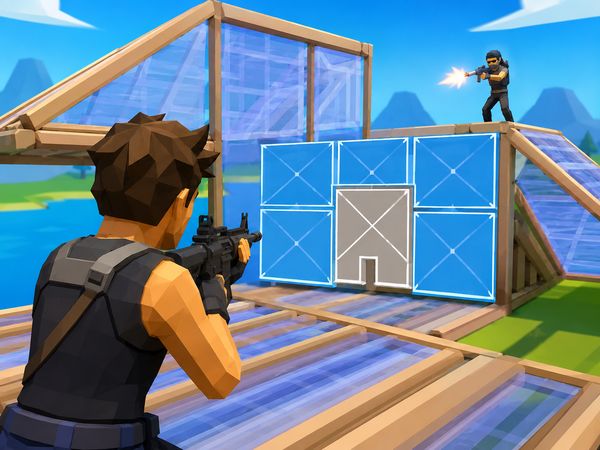
Build Now GG turns building into a split-second weapon. Place cover, take height, and fire before your opponent can claim the next angle. Every duel tests both aim and structure control.
The game combines shooting, building, several maps, and different match styles in one browser title. You can switch between open practice, tight box battles, and last-player-standing fights. Each mode asks for a different pace.
Use the controls below to build cleaner habits and react faster under pressure. Play Build Now GG online now, then test your skills against real opponents.
Build Now GG Modes That Shape Every Match
Freebuild
Freebuild gives you room to work without normal match pressure. It suits players who want to rehearse structure placement, movement, and dueling in a sandbox-style setting. You can focus on one skill instead of worrying about a final placement or a shrinking fight.
Start with simple movement around your own structures. Place a wall, change direction, then add a floor or ramp. Repeat the sequence until your hands move without hesitation. Next, practice switching between building and shooting. Freebuild works well for testing how quickly you can create cover before returning fire.
The open space also changes your decisions. You have more time to choose an angle, but careless movement leaves you exposed. Do not build without a reason. Use each piece to block a sightline, gain height, or create a safer route. Then remove the habit and try again from a new position.
V-Arena
V-Arena sharpens the match into a direct contest. It supports 1v1 battles and six-player free-for-alls, with the last player standing taking the win. In a 1v1, every movement gives your opponent information. In a free-for-all, several threats can punish a fight that lasts too long.
Fast positioning matters most here. Claim useful space early, then watch where opponents appear. Avoid chasing one target through open ground. Build enough cover to survive the first exchange, and move when another player gains a better angle. The mode rewards quick choices more than long preparation.
BoxFight
BoxFight brings players into close-range battles. It supports 1v1 fights and four-player free-for-alls. Small spaces make every edit, cover choice, and reaction important.
Keep your aim ready after every build action. A short opening can decide the round. Use edits to create a firing angle, then close the gap before the opponent recovers. In a free-for-all, listen to the fight around you and avoid exposing yourself between two players.
Build Now GG Controls, Building, and Edit Timing
Movement and Jumping
Movement controls your first defensive option. Press Space to jump, then change direction before landing. A predictable jump gives opponents an easy target, especially in open areas. Mix short movements with sudden turns instead of holding one line.
Keep your view aimed toward the space you want to control. Do not stare at the ground while placing pieces. Build placement and movement must work together. Move into cover, look for the next opening, and keep enough room to react.
Use the number keys to manage your weapon slots. Press 1, 2, 3, 4, or 5 to select a slot. Press the left mouse button to fire and the right mouse button to aim. Press Z for the pickaxe when you need that tool.
Jumping also affects timing. A jump can help you clear a piece or break an opponent’s expected aim line. Still, jumping without cover creates risk. Pair the movement with a wall, floor, ramp, or roof whenever the fight gives you time.
Building Pieces
Press Q for a wall, C for a floor, V for a ramp, and Left Shift for a roof. Walls stop direct aim. Floors support movement across open space. Ramps help you change elevation, while roofs close space above you.
Think in short sequences. A wall can buy a moment, then a ramp can change your angle. A floor can steady your route before you move again. Choose the piece that answers the danger in front of you. Fast placement matters, but useful placement matters more.
Editing and Resetting
Press F to edit, then press F again to apply the edit. Use the edit to open a firing angle or create a path through your structure. Press the right mouse button to reset the edit. Scroll the wheel down for a fast edit reset.
Timing decides whether an edit helps or hurts. Open too early, and you show your plan. Open too late, and the chance disappears. Reset quickly when the angle fails, then return to cover.
Try Build Now GG here and put these controls into practice.
Winning Fights With Cover and Height
Using Walls to Break Aim
A wall changes the duel immediately. It interrupts a clear shot and gives you a moment to choose your next move. Press Q as you cross an exposed space, not after the opponent already has a clean angle.
Do not treat one wall as a complete defense. Opponents can move around it, gain height, or wait for your mistake. Place cover with an escape route in mind. Add a floor when you need stable movement, or use a ramp when you want to shift the fight upward.
Walls also control the rhythm of an exchange. Build, pause, and read the opponent’s position. If they keep aiming at the wall, take a new angle. If they move wide, follow their path without standing in the open. Good cover creates choices, not just protection.
Taking the High Ground
Height gives you a wider view of the fight. A ramp can lift your aim above a wall, while a floor keeps your movement steady. Use these pieces together when the opponent stays below you.
Do not climb without watching your sides. Higher ground helps only while you keep control of nearby angles. Add a roof when space above becomes dangerous, and avoid building so high that you lose sight of the opponent.
From above, look for a clean shot rather than constant firing. Aim with the right mouse button, then use the left mouse button when the opening appears. Keep moving after each exchange.
When to Push Forward
Push when your cover gives you a safe route and the opponent loses position. Move forward after they miss, expose a side, or stop watching your angle.
Do not rush through open ground. Build while closing the distance, then prepare your aim before reaching close range. A controlled push keeps pressure high without giving away your defense.
Build Now GG on Browser, PC, and Mobile Stores
Browser Play
Build Now GG runs directly in the browser through Unity WebGL. That makes it suited to quick sessions on a PC without a separate game installation. Open the game, learn the controls, and enter the mode that matches your goal.
Keyboard and mouse play form the core setup. Use the verified keys for movement, building, edits, slots, chat, emotes, and the scoreboard. Mouse buttons handle aiming, firing, and edit resets. A stable connection and responsive controls help during fast fights.
The browser format also makes switching between practice and competition simple. Spend a few minutes in Freebuild, then move into V-Arena or BoxFight when your hands feel ready.
iOS Listing
Build Now GG also appears in iOS game listings. Treat that listing as a separate store entry from the browser version. Check the available control layout and version details on the relevant device before starting.
The browser build remains the clearest fit for the keyboard and mouse bindings covered here. Those bindings include Space, Q, C, V, Left Shift, and F.
Android Listing
An Android listing also appears for Build Now GG. Mobile play may present controls differently from the Unity WebGL browser build. Check the listing details and on-device inputs before relying on keyboard bindings.
For the browser version, use the verified keyboard and mouse controls. Choose the platform that gives you the most comfortable aim and building response.
Compare with Similar Games
| Game |
Why Similar |
| 1v1.LOL |
real-time building and shooting in the same duel |
How to Play Build Now GG
Step 1: Use the game controls
Use Space to jump. Use Q to wall. Use C to floor. Use V to ramp.
Step 2: Move, jump, and keep your camera ready
Use WASD or the arrow keys to move, and Space to jump while staying ready to build.
Step 3: Place the right piece fast
Build walls, floors, ramps, and roofs to block shots and gain height.
Step 4: Edit when a fight opens a window
Use edit and reset edit quickly so a wall becomes an angle, not a trap.
Step 5: Shoot only after your cover is set
Left click fires, so protect your position before committing to damage.
Build Now GG FAQs
What are the basic controls for Build Now GG?
Browser keyboard: Space — jump; Q — wall; C — floor; V — ramp; Left Shift — roof; F — edit; F — apply edit; Z — pickaxe; 1 — slot 1; 2 — slot 2; 3 — slot 3; 4 — slot 4; 5 — slot 5; B — emotes; P — open chat; M — scoreboard. Browser mouse: Right Click — reset edit; Scroll Wheel Down — fast edit reset; Left Click — fire; Right Click — aim.
Conclusion
Build Now GG delivers a focused Building Shooter experience directly in the browser, combining creative structure placement with competitive firefights. Its singleplayer and multiplayer options give the game flexibility, while Freebuild provides a sandbox for PvP and practice without limits. It is an excellent space to rehearse building and dueling without match pressure, then bring that preparation into tougher battles.
V-Arena raises the stakes with 1v1 combat or a six-player free-for-all where the last player standing wins. BoxFight offers close-range 1v1 or four-player free-for-all battles, with small spaces that make edits, cover, and reaction speed especially important. With distinct ways to practice and compete, Build Now GG rewards quick decisions and creative play. Play Build Now GG here on this page.

No comments yet. Be the first to share your thoughts!