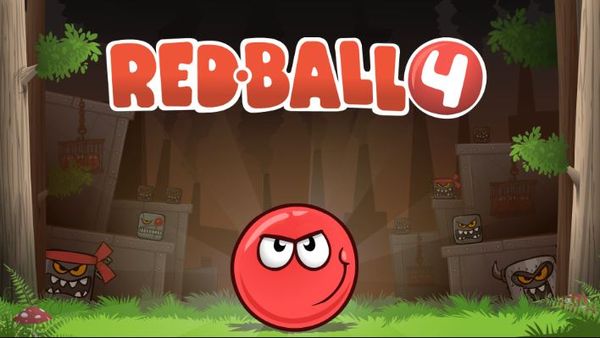
Red Ball turns a simple circle into a lesson in momentum. You steer a rolling red sphere through twelve obstacle-filled levels, and every hazard punishes sloppy speed. Evgeniy Fedoseev built it in 2008, and the physics-first design still holds up.
The goal sounds easy: roll to the goal post. The path is not. Swinging axes, wrecking balls, and spikes wait between you and the finish, and the ball never stops obeying its own weight. You will learn fast that patience beats panic.
Move with the WASD keys or the arrow keys, and start rolling. Try Red Ball right here and see how far a careful roll takes you.
Hazard Navigation Across the 12 Original Levels
Dodging Spikes and Axes
The original release packs twelve levels, and each one adds fresh dangers. Swinging axes and swinging wrecking balls are the headline threats. They move on fixed cycles, and the cycle is your friend. Every swing opens a gap, and your job is to find it.
Stop and watch before you move. Count one full swing, then a second. Learn how long the blade takes to pass and how long the opening lasts. Rushing in on the first pass is how most runs end early.
Time your entry so you arrive as the hazard swings away. Do not roll toward a blade hoping it moves in time. Wait at a safe edge, build just enough speed, and cross while the path is clear. Because the ball keeps coasting, plan your exit as well as your entry. A perfect entry still fails if you cannot stop on the far side.
Spikes ask for a different kind of care. They never move, so the danger is your own momentum. Approach slowly and use short taps. Brake early on any ledge that ends near thorns, and give yourself a full ball width of margin.
Let the platform reach you instead of chasing it. Roll aboard gently, since a fast entry can carry you straight off the other edge.
Combine these habits and the hardest levels become readable. Each trap is a pattern, and patterns repeat. Stay calm, watch the rhythm, and move only when the opening arrives. If you want similar timing challenges, try Level Devil or browse more in the Platformer category.
Win Conditions, Hazards, and Run Outlines
Failure Conditions and Level Restarts
Every stage ends the same way. Touch the goal post and you clear the level. Until that moment, the course tries to stop you, and a few things can end your run.
Impalement on thorns is the most common failure. One brush against a spike resets you. Crushing hazards work the same way. If a heavy object catches the ball, the attempt is over. Falling into a bottomless void also sends you back to the start of the level.
Resets feel harsh, but they teach quickly. Each failure shows you where the danger sits. Use that knowledge on your next try. Note the spot where you died, then slow down one roll earlier.
Plan your run in short segments. Think of each level as a few small problems: the first jump, the axe gauntlet, the final approach. Solve one at a time instead of racing the whole course. When you reach a tough section, pause at the last safe spot and study it.
A good run is calm, not fast. Players who rush trigger the very hazards they fear. Players who wait for cycle openings, control their speed, and brake before edges reach the goal post with room to spare.
Keep your hands light on WASD or the arrow keys. Small inputs beat big ones almost every time. Start a level, take a breath, and try again after each reset. Play Red Ball here and put these habits to work.
The Evolution of the Red Ball Franchise
From 2008 Web Flash to Modern WebGL
Evgeniy Fedoseev coded the original Red Ball as a standalone Flash project in 2008. It spread fast as a viral physics platformer and grew into a larger saga. That first twelve-level campaign set the tone for everything after it.
Today the game runs through Unity WebGL, so it loads quickly and plays directly in the browser. You get the same rolling physics and the same hazards without any download. The old Flash classic now fits in a single tab.
Compare with Similar Games
| Game |
Why Similar |
| Level Devil |
Both are 2D side-scrolling platformers where players navigate obstacles, gaps, and environmental hazards to reach an exit portal or goal flag at the end of each discrete stage. |
| Stickman Hook |
Both games center on physics-driven momentum to navigate across levels filled with hazards and reach a designated end-of-level goal line. |
| Slope Run |
Both feature rolling a spherical character across platforms while jumping over gaps and dodging hazards to progress through level stages. |
✨ Key Features of Red Ball
- Original 12-level physics platforming campaign
- Realistic rolling inertia and friction mechanics
- Dynamic environmental obstacles including swinging wrecking balls and swinging axes
- Lightweight instant browser play via Unity WebGL
How to Play Red Ball
Step 1: Use the game controls
Use WASD Keys to move. Use Arrow Keys to move.
Step 2: Start the Stage
Click the game window to activate inputs and observe the surrounding terrain from your starting position.
Step 3: Build Rolling Velocity
Press the Arrow Keys or WASD to roll down inclines, gaining speed needed to conquer upcoming leaps.
Step 4: Leap Across Dangerous Hazards
Hit the Up Arrow or W key to vault over spikes, spinning axes, and yawning chasms.
Step 5: Reach the Finish Flag
Guide your ball safely across the goal line to complete the level and unlock the next challenge.
Red Ball FAQs
Can I play Red Ball on mobile devices?
Red Ball opens in a phone browser, but it is played with the keyboard, so a computer works best.
What are the basic controls for Red Ball?
Keyboard: WASD Keys - move; Arrow Keys - move.
Do I need to download Red Ball?
No. Red Ball runs in your browser on this page, with nothing to download or install.
Conclusion
Ready to give it a try? Start playing Red Ball here on this page and see how far you can roll.

No comments yet. Be the first to share your thoughts!