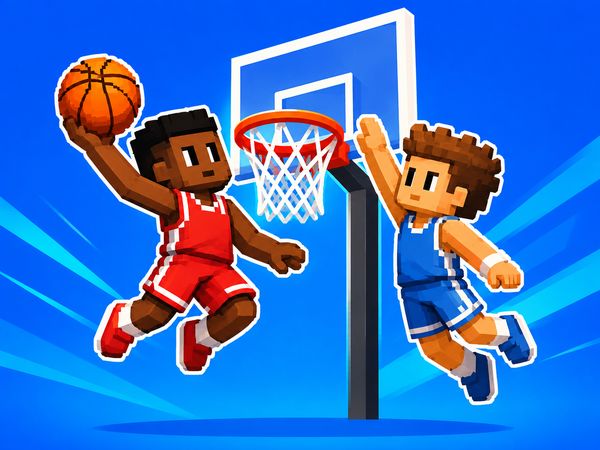
BasketBros turns basketball into a quick 1v1 duel where every steal can become a fast break. Blue Wizard Digital keeps the action simple, sharp, and browser-friendly. You move, contest space, and attack the hoop before your rival can recover.
The game rewards quick choices more than long setups. A loose ball creates instant pressure. One missed shot can give the other player a clear scoring chance. That makes each possession feel important, even when matches move at arcade speed.
Start a match, learn the controls, and test your timing against a rival. Play BasketBros online now and see how quickly a small mistake changes the score.
BasketBros: Core Court Flow
Fast 1v1 Possessions
BasketBros centers every match on a simple battle for space. One player attacks while the other protects the basket. Then the roles change after a steal, miss, or loose-ball moment. You must react quickly because neither side has much room to relax.
Move toward the hoop when you have a clear lane. Keep your distance when the defender stands ready to block. A short possession can end with a shot, a stunt, or a turnover. That quick exchange gives the game its arcade feel.
Rebounds matter because they extend pressure. A missed attempt does not always end the attack. Grab the ball first, then decide whether to shoot again or reset your position. Steals matter just as much. Winning the ball near mid-court can turn defense into an immediate scoring chance.
Reading Momentum in a Short Match
Watch how each possession begins. If your rival rushes toward the hoop, hold space and wait for a bad angle. If they hesitate, step forward and force a decision. BasketBros gives momentum to the player who controls the next action.
Do not chase every movement. Track the ball and the route to the basket. A calm recovery often works better than a desperate lunge. Keep your next move ready before the current exchange ends.
What Makes a Possession Dangerous
A possession becomes dangerous near the basket. The attacker gains a better scoring chance, while the defender loses time to react. A late block may fail, and a missed challenge can leave open space. Protect your position first, then contest the shot.
BasketBros Controls and Movement Timing
Movement Keys That Matter
Single-player movement uses WASD or the Arrow Keys. The action key depends on the layout you use. With WASD movement, press G for Shoot, Stunt, or Block. With Arrow Keys movement, press L for those same actions.
For local two-player play, Player 1 uses WASD to move and G for Shoot, Stunt, or Block. Player 2 uses the Arrow Keys to move and L for Shoot, Stunt, or Block. Learn these bindings before the first serious match. Muscle memory saves time when the ball changes hands.
Movement timing changes with your role. On offense, take short steps toward open space. Do not run straight at a waiting defender. Cut your approach, pause briefly, and make the defender commit.
On defense, stay between the rival and the basket. Small corrections keep you ready for a drive. Large movements often carry you past the play. Use the movement keys to track the ball carrier, not to circle wildly around them.
Practice switching from movement to action without hesitation. You need control while approaching the hoop. You also need control while retreating after a missed attempt. Smooth inputs create better chances than frantic ones.
Jumping, Shooting, and Blocking
The shared action key handles Shoot, Stunt, and Block. Press G when using WASD movement, or press L when using Arrow Keys movement. On offense, time the press around your approach to the basket.
On defense, save the action for a real challenge. Blocking too early gives the attacker room. Blocking too late gives them the shot. Watch the ball, then act when the attempt becomes clear.
Start playing BasketBros here once the controls feel natural.
BasketBros gameplay
When Difficulty Starts Climbing
Longer runs demand cleaner decisions. A familiar attack may stop working once your rival reads it. Change your approach instead of repeating the same drive.
Difficulty rises when small errors stack together. A rushed shot leads to a rebound. A poor recovery then creates a steal. Slow down after a mistake and rebuild your position.
How to Use Early Games Well
Treat early matches as a chance to learn spacing. Test how close you can approach before a block becomes likely. Notice which movement patterns leave you ready for the rebound.
Build reliable habits first. Fancy attempts can wait until your basic control feels steady.
Character Selection and Unlocks
Choosing a Starter
Begin with the character that feels easiest to control. A familiar choice helps you focus on movement, timing, and court position. You do not need a complicated plan during the first few matches. Learn how your chosen character fits your hands and your preferred pace.
Use early play to compare how each available character feels. Test movement during attacks and recoveries. Then test the same character while defending the basket. A choice that feels strong near the hoop may feel less comfortable when you must retreat.
Keep your selection practical. Fast decisions matter more than appearance during a close possession. Pick a character that helps you reach the ball, hold space, and respond to pressure. Once that choice feels natural, spend more time improving your timing than changing selections.
What Character Variety Changes
Character variety gives you more ways to approach the same 1v1 problem. One choice may suit direct attacks, while another may feel better for patient movement. Focus on control rather than assuming one option solves every situation.
Switch characters when you want a fresh practice goal. Keep notes in your head about movement, shot timing, and defensive comfort. The best pick is the one you can use consistently under pressure.
Use Shooting Practice after changing your selection. It gives you space to adjust before a serious match.
Ready for another fast duel? Start BasketBros now and put your movement timing to work.
Practice, Multiplayer, and Match Setup
Quick Match Versus Practice
Choose a quick match when you want immediate competition. It puts your movement and action timing under real pressure. Use it for short sessions, warm-ups, or testing a new approach against another player.
Shooting Practice serves a different purpose. It lets you focus on shot timing without the full demands of a 1v1 exchange. Use practice after a run of missed attempts. Repeat the approach until the action feels deliberate rather than rushed.
Both players should learn their bindings before the match begins.
Settle on a simple goal for each session. Practice accurate attacks, improve blocks, or work on recovery after a miss. A clear goal makes short play sessions more useful.
Online Friend Matches
BasketBros also supports one-on-one browser play. When you face a friend, focus on reading habits rather than guessing randomly. Notice whether they rush the basket or wait for your movement.
Keep early exchanges controlled. Test space, watch their response, and adjust your next attack. Friendly matches become useful practice when both players treat each possession as a lesson.
Winning with Safer Shot Selection
When to Dunk
Choose a dunk when you have a clear route toward the basket. The move works best after you create space or catch the defender out of position. Do not force it from a crowded approach. A blocked attempt gives your rival a valuable chance to take control.
Watch the defender before committing. If they stand directly in your path, change your angle first. Enter the scoring area with room to act.
When to Take the Clean Shot
Take the clean shot when the defender cannot challenge in time. A simple attempt often beats a risky move through traffic. Protect the possession and value an open chance.
Look for space created by your own movement. Step away from the defender, then shoot once the lane opens. Avoid pressing the action key from panic.
Defending Without Giving Up Position
Stay between the attacker and the basket. Match their movement with small adjustments instead of lunging. This keeps you close enough to challenge while protecting the scoring route.
Use Block when the shot becomes clear. A mistimed block can pull you away from the rebound. After every challenge, recover toward the ball and basket.
Try BasketBros again below and turn safer decisions into points.
Compare with Similar Games
| Game |
Why Similar |
| Basketball Stars |
head-to-head basketball matches where the objective is to outscore the opponent |
✨ Key Features of BasketBros
- Fast-paced 1v1 basketball
- Franchise Mode
- Up to 17 matches
- Local two-player mode
- Shooting Practice
How to Play BasketBros
Step 1: Use the game controls
Use WASD to move. Use G to shoot / Stunt / Block. Use Arrow Keys to move. Use L to shoot / Stunt / Block.
Step 2: Use movement to create space
Move with WASD or the arrow keys and keep adjusting your position. Small steps matter because clean spacing makes shots easier and blocks harder to contest.
Step 3: Time the main action keys
Use the action keys shown by your build to shoot, block, steal, or attack. The key lesson is timing: a rushed input usually loses the possession.
BasketBros FAQs
Does BasketBros require a separate installation?
No. The browser version of BasketBros runs on the page without a separate installation.
Conclusion
BasketBros is a lively arcade basketball experience built for quick, accessible fun in your browser. Its singleplayer and multiplayer modes make it easy to enjoy alone or challenge another player, while the simple keyboard controls keep the action focused.
That straightforward setup gives BasketBros an engaging balance of movement, timing, and basketball action without unnecessary complexity. Whether you want a solo session or a competitive two-player game, it offers a clear and entertaining way to play. Jump into BasketBros and play right here on this page.

No comments yet. Be the first to share your thoughts!