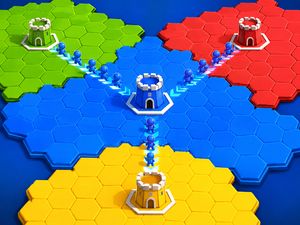
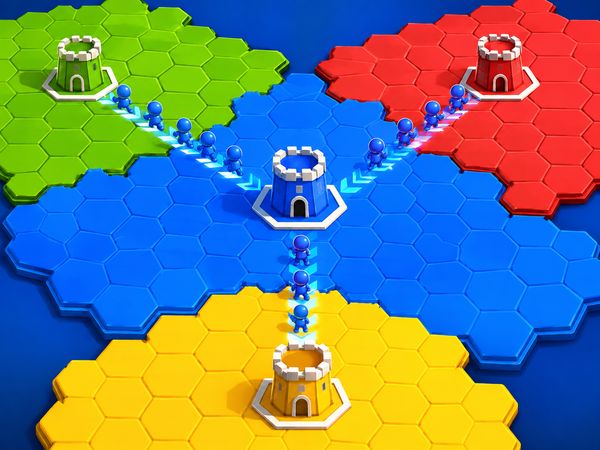
Conquer.io turns every open patch of the map into a fast territorial gamble. You push your color outward, watch rivals close in, and decide whether one more claim is worth the exposed edge. Its strongest hook is the tension between growth and survival.
This territory conquest game rewards clear choices rather than random movement. Territory Capture gives you room, Border Pressure reveals danger, and Map Control shows how much of the arena you truly influence. A large shape means little if rivals can cut around it.
Use this guide before you play Conquer.io online. Then start a match here and test each idea immediately. Conquer.io runs directly in a browser, making this HTML5 game a quick way to enjoy a free online game without downloads.
What Makes the Map-Capture Loop Work
Claiming Territory
Territory Capture forms the core of Conquer.io. You claim open map space, then push your color outward from the area you already control. Each successful claim increases your influence and gives you more room for the next move. The goal is not simply to cover ground. You must turn open space into a shape that remains useful.
Start near your existing edge whenever possible. A short push creates less exposed border than a long reach. It also gives you a safer route back toward your main area. Watch the space between your current territory and the next target. If that route passes close to a rival, the claim may invite an immediate response.
Every captured patch changes the nearby map. A rival loses comfortable room when your color reaches their side. You gain a stronger position when your new edge blocks a useful route. This makes each move both defensive and aggressive. Claiming territory can protect your core while also narrowing another player’s choices.
Think in connected steps. First, choose a reachable open area. Next, check the edges created by that claim. Finally, decide whether the new shape supports another safe move. This simple rhythm explains how to play Conquer.io without treating every empty space as an urgent target. Patient claims often beat spectacular but fragile expansion.
Keep your main area in view. A growing outer section should still connect cleanly with your base. If you leave thin gaps or awkward corners, rivals may gain an easy angle. Strong Territory Capture creates a wider, cleaner shape. It does not merely produce a bigger number on the map.
Reading Empty Space
Open space offers opportunity, but it also exposes your intentions. Look for broad areas that let your color expand without creating several new approaches for rivals. A wide lane usually gives better control than a narrow pocket. Narrow pockets can trap your next move against the map edge or another player.
Read the empty map in layers. Nearby space matters first because it affects your next claim. The area beyond it matters next because it reveals whether expansion can continue. Then inspect rival colors around the route. A promising patch may sit inside a dangerous pocket, especially when two opponents already contest its approaches.
Map Control grows when your territory influences several useful routes at once. You want space that supports movement in more than one direction. This lets you switch plans when a rival appears. It also reduces the number of safe openings opponents can use against you.
Do not chase every isolated patch. An empty corner may add area but offer no practical route afterward. Favor connected space that improves your position. When the map looks crowded, preserve open lanes near your border. Those lanes can provide an escape route or a counterclaim later.
When Expansion Becomes Risky
Expansion becomes risky when your outer edge grows faster than your protected core. Border Pressure rises along thin, stretched borders because rivals gain more angles to approach. A long strip may look impressive, yet it often gives you fewer safe responses.
Pause when one claim creates several weak edges. Check whether a rival can reach either side of the new section. If they can, stop pushing outward and reinforce the shape through nearby territory. Size helps only when you can defend its outline.
A useful warning sign appears when your next move depends on one narrow route. That route can become a trap. Keep at least one alternate direction open whenever possible.
Conquer.io Control Basics and Movement
Mouse or Touch Actions
Conquer.io uses direct map interaction. With a mouse, Left Click selects moves and claims territory. On mobile, Tap selects moves and interacts with the map. These inputs keep the action simple, but each choice still carries weight.
Click or tap the area you want to influence. Then watch how the claim changes your color’s edge. Your input connects directly to territory choice, so do not act before checking nearby rivals. A fast hand helps, but a clear target helps more.
Use short actions when the map feels crowded. A small claim lets you read the new border before committing again. Longer moves may gain space quickly, but they can also create a sharp exposed point. Your control input should match the safety of the chosen route.
Mobile play rewards careful taps. Keep your attention on the map rather than tapping several directions at once. Pointer-driven action makes accidental expansion costly near rival territory. Confirm the open patch, check its distance, and then make the move.
This control pattern keeps Conquer.io browser game sessions easy to enter. You do not need a complex command system to make advanced decisions. The challenge comes from selecting the right place at the right moment. Good players turn basic input into careful border management.
Selecting Targets
Choose targets by their value after capture, not their distance alone. A nearby patch may leave your border exposed on three sides. A slightly farther patch may connect two safe sections and improve Map Control. Always judge the space that follows the claim.
Check the target’s relationship with rival colors. If your move points toward a crowded border, expect pressure soon. If it opens a broad lane, you may gain several options. Select targets that preserve choices rather than forcing one fixed route.
Use your click or tap to claim open territory with a purpose. Each action should either improve your shape, deny a rival route, or create safer space. When a target does none of these things, leave it alone.
Maintaining a Safe Border
A safe border stays broad, connected, and easy to read. Avoid creating a narrow hook that reaches far beyond your main color. Such hooks increase Border Pressure and invite a rival to attack from either side.
After each Left Click or Tap, inspect the new outline. Keep the next claim near that outline when danger rises. Defensive spacing gives you time to react and keeps your territory from scattering across the map.
The Best Opening Moves
First Expansion Choices
Your opening claim sets the shape for the whole match. Start with open space that sits close to your current territory. This gives Territory Capture immediate value without stretching your outer edge. Avoid rushing toward a distant patch just because it looks large.
Look for a direction with room on both sides. That layout lets you widen the shape instead of forming a thin line. A broad first expansion also creates more choices when rivals enter nearby space. You can turn left, right, or inward without abandoning your core.
Do not spend the opening chasing another player. Early rivalry often creates two weak borders at once. Let nearby opponents reveal their routes first. Their direction can show which open areas remain safe for your own growth.
Watch the map edge as well. A boundary can protect one side, but it can also limit escape routes. Use it to reduce exposure, not to justify careless expansion. Leave yourself room to turn back toward safer ground.
Avoiding Early Conflict
Early conflict rarely starts with a dramatic attack. It begins when two colors reach the same narrow lane. Avoid that lane unless you already hold better surrounding space. Let a rival enter a cramped area while you build a stronger position beside it.
Keep one clear buffer between your color and nearby opponents. The buffer does not need to be huge. It needs to give you time to see their direction and adjust. If both players push into the same gap, stop adding pressure and protect your nearest edge.
Do not mirror every rival move. Matching their speed can pull you away from your safest shape. Instead, claim useful open space elsewhere. You may gain better Map Control while they spend moves guarding a crowded border.
Patience creates early advantage. A player who avoids the first clash often reaches the midgame with cleaner borders and more choices. That position supports stronger pressure later.
Building a Stable Shape
A stable shape has depth, connection, and few sharp corners. Expand around your center rather than dragging one thin arm across the map. This keeps your core useful when Border Pressure rises.
Use each opening claim to make the next one easier. Fill awkward gaps beside your color before reaching outward again. A compact shape survives mistakes better because rivals have fewer direct angles.
Start playing Conquer.io here and test one opening rule: grow wide before growing far.
Conquer.io Strategy for Midgame Pressure
Watching Nearby Rivals
Midgame pressure begins when nearby colors become active. Track the edges closest to your territory first. A rival expanding toward you matters more than a distant player taking space elsewhere. Their direction shows which border needs attention.
Watch for changes in shape. A player with a wide, rounded area can support several routes. A player with a long strip may have strong reach but weak sides. Their Border Pressure gives you clues about when to defend and when to push.
Do not stare only at the largest color. A smaller neighbor may sit beside your most important lane. If that player controls the route between two sections, they can limit your Map Control. Keep checking the spaces that connect your territory, not just the spaces that look valuable.
Use pauses between claims to compare nearby options. If one route brings you toward two rivals, choose the route with fewer contact points. This keeps momentum without scattering your position.
Punishing Weak Borders
Attack weak borders through space, not panic. A rival’s thin extension creates an opening when it lacks support behind the edge. Claim nearby open territory first, then use your improved position to restrict their next route.
Look for corners where a rival has limited room to turn. Pressure works best when your color controls the wider approach. Do not chase a weak point if reaching it leaves your own flank exposed.
Good Conquer.io tips and tricks focus on timing. Push when the rival has fewer options, not simply when you feel ahead. A controlled squeeze can gain more than a risky dash.
Choosing Safe Routes Forward
Choose routes that keep your territory connected. A safe path adds influence while preserving a retreat toward your core. Avoid routes that split your attention across distant edges.
When two options look equal, choose the one with fewer exposed sides. It may produce less immediate area, but it protects future moves. Steady Map Control keeps your pressure alive.
Scoring, Growth, and Match Momentum
What Drives Progress
Progress comes from claiming and holding territory. Territory Capture pushes your color into open map space, increasing the area you influence. That growth changes the board around you. Rivals lose room, while you gain more possible routes.
Visible progress matters because it shows whether your choices work. A larger shape usually gives you more presence, but size alone does not guarantee safety. Border Pressure can rise faster than your useful control. Watch both the amount you hold and the quality of its outline.
Map Control measures practical influence across the arena. A connected shape near important open lanes often matters more than scattered patches. Strong growth improves your position when it gives you options. Weak growth simply adds edges that someone else can threaten.
Even in a free Conquer io game, momentum comes from decisions rather than spending. Keep claiming useful space, protect the area you already own, and deny rivals easy openings. That pattern turns small gains into steady progress.
Why Size Changes Options
More territory gives you more room to choose your next move. You can widen one edge, secure another, or pressure a nearby rival. A larger connected area also gives you better paths between important parts of the map.
Size becomes powerful when it improves Map Control. It lets you influence several routes at once and makes opponents approach from less comfortable angles. Yet every new edge can increase Border Pressure. Expand in ways that add options without multiplying weak points.
Recovering After a Mistake
Strong players recover by protecting their remaining shape first. Stop expanding from the damaged edge and secure the safer side. Rebuild connection before chasing lost space.
A setback does not erase your options. Use nearby open territory to make a smaller, cleaner shape. Once the border settles, restart growth with shorter claims.
Try Conquer.io here, then practice recovery instead of restarting after every mistake.
Tips That Separate Strong Players
Stay Compact First
Stay compact until your first borders become clear. A dense shape gives rivals fewer angles and makes your own routes easier to judge. Build outward from several nearby points instead of creating one narrow arm.
Compact territory also improves Map Control. You influence the space around your core without exposing a huge outline. When a rival approaches, you can shift pressure quickly. A scattered shape cannot answer as cleanly.
This rule matters during any Conquer.io session. Do not measure success by the biggest single reach. Measure it by how safely your whole color can keep growing.
Expand One Step at a Time
Make one useful claim, then read the new border. Check whether the move created a weak corner or opened a better lane. Only continue when the shape still supports another safe step.
Small expansions keep your choices flexible. They also reveal rival movement before you commit too deeply. If a neighbor turns toward you, you can defend without abandoning half your territory.
When the map opens, take slightly larger gains. Still, keep each move connected to a clear purpose.
Do Not Ignore Flanks
Check both sides of every forward push. A rival may ignore your front and approach the thin flank behind it. Protect that side before claiming another distant patch.
One overlooked edge can undo several successful moves. Keep your color broad enough to answer pressure from either direction.
Explore more browser action through Action, or try Territorial.io, Paper.io 2, MooMoo.io, Diep.io, Agar.io, Gota.io, Starve.io, or Zombs.io.
Compare with Similar Games
| Game |
Why Similar |
| Territorial.io |
Both are territory-control strategy games focused on expanding and conquering areas on a map. |
| Paper.io 2 |
Both involve claiming territory and growing control over space in a simple .io-style format. |
| MooMoo.io |
Both are multiplayer .io games that emphasize resource gathering, expansion, and strategic survival. |
✨ Key Features of Conquer.io
- Territory capture
- Map control
- Border management
- Fast matches
- Browser play
- Touch input
How to Play Conquer.io
Step 1: Start with a safe opening
Begin by choosing an early direction that does not stretch you too far. In Conquer.io, the first expansion matters because it sets your border shape. A compact start is usually safer than a wide grab, since it leaves fewer exposed edges for nearby rivals to attack.
Step 2: Claim territory in small moves
Expand gradually instead of rushing across the map. Small gains are easier to defend and easier to link together. If you take too much space too quickly, your outer line becomes thin and difficult to protect. Controlled growth usually lasts longer than an aggressive leap.
Step 3: Watch nearby opponents closely
Do not focus only on your own growth. Nearby players can cut into weak space or attack an overextended edge. Keep an eye on the closest threats and notice which directions look crowded. That awareness helps you avoid fights you cannot win yet.
Step 4: Protect your borders before pushing farther
Every new area should connect to a defendable shape. Before taking more land, make sure your current edge is not too open. A strong border limits surprise attacks and keeps your territory from being split apart. Defense first often creates better attack chances later.
Step 5: Punish weak openings when they appear
If a rival leaves a gap, move quickly and claim the space before they can recover. Weak borders and stretched shapes are signs that an opponent has overreached. Smart players wait for those moments instead of forcing bad attacks into strong positions.
Step 6: Keep your expansion balanced
Try to grow in a way that keeps your territory useful, not just large. A strange shape can trap you, while a balanced shape gives you more options. Good balance also helps you pivot when another player becomes a bigger threat. Flexibility is a major advantage.
Conquer.io FAQs
What are the basic controls for Conquer.io?
The controls are: Left Click — select moves and claim territory; Tap — select moves and interact with the map.
How do you win in Conquer.io?
You win by controlling more of the map than your rivals. Good play usually means expanding steadily, protecting your borders, and avoiding overextension. The strongest position is often the one that stays compact and hard to break.
What is the best first move?
The best opening is usually a safe, compact expansion. Early gains help, but a wide stretch can leave you exposed. A smaller shape often gives you more control over the next decision.
Can I play Conquer.io without downloading anything?
Yes. The browser version of Conquer.io runs on the page without a separate installation.
Can I play Conquer.io on mobile devices?
Yes. Conquer.io has a mobile release.
What is Conquer.io?
A territory-conquest io game where the goal is to expand control across the map.
Is Conquer.io free to play?
Yes, it is hosted on free browser-game portals.
What kind of game is Conquer.io?
It is a strategy game with territory control as the core objective.
Conclusion
Conquer.io delivers a focused real-time territory conquest strategy experience in HTML5. Its central Territory Capture mechanic lets you claim open map space and push your color outward, turning every expansion into a meaningful decision. Gaining territory creates an advantage, but it can also leave weak edges that opponents may exploit.
Success depends on balancing Border Pressure with Map Control: protect your outer edge while influencing as much of the arena as possible. With single-player and multiplayer modes, Conquer.io offers engaging strategy for different play styles. Select moves and claim territory with Left Click, or tap to interact with the map on mobile. Play Conquer.io right here and start shaping your territory below.

No comments yet. Be the first to share your thoughts!