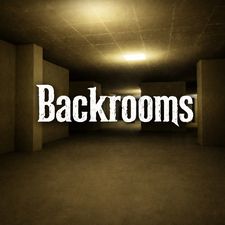
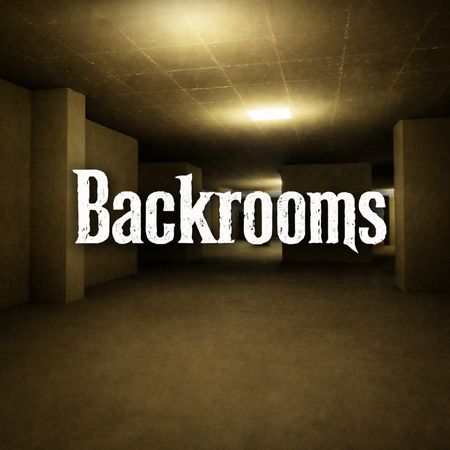
Backrooms drops you into an endless maze of mono-yellow rooms with nothing but your own footsteps and a steady fluorescent hum for company. This first-person horror exploration game runs as a single-player experience, and every turn looks almost the same as the last. That sameness is the whole trick. You never know if the next corridor is empty or if something is waiting at the end of it.
The idea grew out of a 2019 4chan post about millions of square miles of randomly segmented empty office rooms. The yellow wallpaper and damp carpet look came straight from the viral liminal photograph behind that post. The game turns that unsettling picture into something you can walk through, one nervous step at a time.
Load it up, put your hand on the keyboard, and see how long you last. Start exploring now!
Core Mechanics of the Backrooms Maze
Navigating Liminal Hallways
You move through the world in first person. Use the WASD keys to walk and the mouse to look around. Every hall is wrapped in yellow wallpaper, and the rooms blur together fast. That is by design.
The maze has no obvious landmarks, so you have to build your own. Notice a stain on the carpet. Remember a corner where the wall juts out. Small details become your map when everything else repeats.
Move your mouse slowly at junctions. A quick flick of the camera can make you lose track of which way you came from. Pause, look both ways, then commit to a direction. Walking at an even pace helps you read each room before you enter it.
The segmented layout means a straight line rarely stays straight. Halls bend, split, and drop you into rooms with several exits. Treat each doorway as a choice and keep your bearings. Getting lost is the point of the game, but getting lost carelessly is how you get caught.
Audio Cues and Awareness
Sound does half the work here. The persistent fluorescent hum fills every room, and it sets the mood from the first second. Listen to how it changes as you move. A shift in the ambient noise can tell you the space around you is different.
Stay alert when the hum feels wrong. Your ears often warn you before your eyes catch anything. If you need quiet for a moment, press the M key to mute the sound.
Mastering Backrooms Movement and Stamina
Sprinting Away From Danger
Hold the Shift key to run. The game gives you responsive sprint options for sudden escapes, and you will want them the moment something feels off. Walking is fine for exploring. Running is for when you have to leave right now.
Do not sprint by default. Running through an unknown hall means you reach the next surprise faster, and you have less time to react to it. Save your speed for real emergencies.
When you do run, pick your path before you commit. A sprint into a dead end is worse than staying put. Look ahead, choose a hall with a clear way forward, and then hold Shift and go. Use the mouse to steer smoothly so you do not clip a wall and lose momentum.
Think of the sprint as a tool, not a habit. The best players walk most of the time and run only when the choice is obvious. That calm rhythm keeps your head clear when panic would otherwise take over. Try Backrooms right here and test your nerve.
Conserving Energy in Tight Spaces
If you stop to listen, do it in a spot with a clear exit behind you. That way you can back away without turning blind. A calm pace in cramped halls keeps you ready for whatever comes next.
Managing Flashlight Visibility and Sanity
Utilizing the Flashlight
When a room feels too dim to read, switch it on and sweep the beam across the walls.
Use the mouse to aim it. Point the light down a hallway before you walk in, and check side doorways as you pass them. A quick look can show you a turn you would have missed.
Do not leave the light on without thinking. Toggle it when you need to see, and switch it off when the hum and the yellow glow are enough. Learning when to use it is part of surviving. Tap R again to turn it off, and trust your ears while you move.
Overcoming Sensory Deprivation
The Backrooms wear you down by giving you almost nothing. Same walls, same hum, same carpet. Your mind starts to fill the gaps, and that is when you jump at shadows.
Fight it by staying active. Keep making choices, note small details, and use the flashlight to break up the dark. Giving yourself something to track keeps your focus sharp.
Entity Avoidance and Escape Tactics
Detecting Entity Presence
Danger in the Backrooms rarely announces itself loudly. You sense it through changes in the space around you. Pay attention to the ambient hum and to any sound that does not belong in an empty maze.
Check corners before you round them. Stop at junctions and listen. If something feels off, trust that feeling and back away rather than pushing ahead.
The sooner you notice a threat, the more routes you have to avoid it. Calm observation beats blind running every time.
Breaking Line of Sight
The segmented walls are your friend. Duck around a corner to cut off any view of you. Then move through a doorway and keep going. Breaking sightlines buys you time, and time is what you need to slip away or choose a new route.
Evaluating Backrooms Ratings and Community Reception
Atmospheric Appeal
Players come to this game for the mood. The mono-yellow rooms, the damp-carpet look, and the steady hum capture the creepypasta feel that made the original photograph famous. Fans of liminal horror find plenty to like in how little the game needs to unsettle you.
Reception leans on that atmosphere. People talk about the tension of walking an empty maze, and about how a simple flashlight and a few keys can build real dread. If you enjoy slow, creeping horror over loud jump scares, this fits the bill. Fans of Granny or Huggy wuggy may like it too.
Accessibility and Performance
This is a light HTML5 game that loads fast and needs zero client downloads. You open the page, click in, and you are walking the halls. It suits quick sessions on a desktop browser. Browse more titles in Horror when you want another scare.
Compare with Similar Games
| Game |
Why Similar |
| Granny |
First-person exploration and navigation through enclosed, hostile indoor environments while actively evading an AI pursuer to find an escape route. |
✨ Key Features of Backrooms
- First-person navigation through eerie mono-yellow rooms
- Atmospheric lighting combined with persistent ambient fluorescent hum
- Flashlight toggle mechanic for dark corners and halls
- Responsive keyboard sprint options for sudden escapes
- Instant HTML5 browser play requiring zero client downloads
How to Play Backrooms
Step 1: Launch the Game
Click the game window in your browser to focus your controls and initialize the HTML5 environment.
Step 2: Survey Your Starting Room
Use your mouse to pan the camera around the initial mono-yellow chamber and locate open doorway arches.
Step 3: Activate Your Light
Press R on your keyboard to turn on your flashlight before venturing into unlit sectors of the maze.
Step 4: Navigate and Listen
Move carefully using WASD while listening beneath the light hum for distinct audio shifts that signal approaching hazards.
Backrooms FAQs
What are the basic controls for Backrooms?
Keyboard: WASD Keys - move; Shift Key - run; R Key - flashlight; M Key - mute / sound. Mouse: Mouse - camera; Move Mouse - camera.
Can I play Backrooms on mobile devices?
Backrooms opens in a phone browser, but it is played with the keyboard, so a computer works best.
Conclusion
Backrooms delivers a tense single-player horror exploration experience where every step into the unknown keeps you on edge. Moving with the WASD keys, looking around with the mouse, and running with Shift when the atmosphere gets too unsettling makes for an immersive, hands-on journey.
The flashlight, toggled with the R key, becomes your most trusted companion, while the M key lets you adjust the sound to suit your nerves. If you enjoy slow-building dread and eerie exploration, this one is well worth your time. Jump in and play Backrooms right here, right now, and see how long you can keep your composure.

No comments yet. Be the first to share your thoughts!