Anomalous Coffee Machine hands you a keyboard and one question: what do you want to drink? Type any word into the terminal and the machine pours it into a cup. Then you choose who takes the first sip, and the story bends around that choice.
HoruBrain Interactive built this text-driven horror simulation around a simple loop. You type, you pour, you watch what happens. Every drink pushes the scene somewhere new.
The Horror and Simulation categories hold more games with the same unsettling mood.
What is Anomalous Coffee Machine?
The SCP-294 Concept
The game takes its idea from SCP-294, an anomalous coffee machine described in the collaborative writing archives of the SCP Foundation. In that lore, the machine dispenses any liquid you request on a keyboard. HoruBrain Interactive turned that premise into an interactive visual simulation, and the surreal horror mood carries over from the source material.
Here is the core loop. You sit at a machine terminal. You type a word. You press Enter, and the machine dispenses a drink. Nothing limits you to a menu, so the vocabulary is yours to explore.
The genre sits somewhere between a visual novel and a horror simulation. Most of the action happens through text, dialogue and reactions rather than movement or reflexes. You play alone, and your curiosity drives every session. Browser and mobile versions both run on HTML5, so you can open the game and begin without installing anything.
Meeting Horu
Horu is the mysterious companion who shares the scene with you. Horu watches the machine, reacts to what comes out of it, and can drink what you pour.
That second drinker changes everything. A liquid is no longer just something you test on yourself. You can hand the cup to Horu and watch the conversation shift. Click to advance the dialogue and keep an eye on how Horu's words change.
Keyword Parsing
The terminal reads whatever you type. Use the alphanumeric keys to enter a keyword, then press Enter to confirm and dispense. On mobile, tap to bring up the virtual keyboard and type the same way.
Each word you enter becomes a custom liquid. That is the heart of the game. You are not picking from a short list of options. You are writing the request, and the machine answers it.
Start with plain, familiar words. Try drinks you would find in any café, then see how the machine and the story respond. Those first results give you a baseline. Once you know what an ordinary request looks like, stranger words stand out more.
Keep notes if you like. Branching dialogue and character changes depend on the beverage you choose, so a word that gives a dull reaction in one scene may land differently when you offer it to someone else.
Drink Consumption and Narrative Consequences
Target Selection
Once the cup is full, you decide who drinks. The protagonist can take the liquid, or you can offer it to Horu. This dual consumption mechanic is the main decision in the game.
Use the left mouse button to advance dialogue and to select the recipient. On mobile, tap the option you want. The choice feels small, but it steers the scene. The same drink can lead to a different reaction depending on who swallows it.
Think about the risk before you click. Giving a strange liquid to yourself puts you at the center of the change. Giving it to Horu turns you into the observer, and the conversation between you two shifts in response.
Try the same word on both targets across different runs. Comparing the outcomes teaches you more about the game than any single attempt.
Physical and Psychological Mutations
Drinks can cause mutations, visual shifts and new dialogue reactions. A character may look different after a sip. Their words may turn stranger, colder or more unstable.
These changes sell the horror. The surreal atmosphere comes from watching a harmless-looking cup rewrite the scene in front of you. Some changes are subtle, and others are hard to miss.
Branching Outcomes in Anomalous Coffee Machine
Discovering Hidden Reactions
Experimentation is the whole point. Every word you type can open a different branch of dialogue, and the character transformations tied to your beverage choices keep the story from repeating itself.
Try unusual requests. Mix everyday words with strange ones. Pour the same drink for yourself, then for Horu, and compare what you see and hear.
Some reactions only show up when you stop playing it safe. A word you expected to do nothing may trigger a surprising line of dialogue or a visual change. Curiosity pays off here, so treat each run as a fresh experiment and see where the story goes.
Triggers for Run Endings
Not every drink leads to a gentle result. Some choices push the story toward terminal bad ends, where the run stops for good. Other paths can swerve into sudden surreal conclusions that arrive with little warning.
When a run ends, start again and take a different road. Try Anomalous Coffee Machine free in your browser and chase another ending.
Evolution Across the Anomalous Coffee Machine Series
Safe Edition Differences
Browser editions carry the Safe Edition moniker. That label keeps the game accessible without the explicit adult content found in standalone builds. The typing, pouring and drinking loop stays intact, so you still experiment with words and watch Horu react.
Browse more titles in the Games section when you finish your runs.
✨ Key Features of Anomalous Coffee Machine
- Branching dialogue and character transformations based on beverage choices
- Surreal psychological horror atmosphere inspired by SCP Foundation lore
- Dual consumption mechanic allowing the player or Horu to ingest drinks
- Instant browser-based HTML5 execution with zero installation needed
How to Play Anomalous Coffee Machine
Step 1: Use the game controls
Use Alphanumeric Keys to type drink keywords into machine terminal. Use Enter to confirm input and dispense drink. Use Left Click to advance dialogue and select drink recipient. Use Tap to select dialogue options and trigger virtual keyboard.
Step 2: Initialize the Dispenser
Click the game window to focus the text terminal and face the vending interface.
Step 3: Enter a Keyword
Type any word, concept, or substance using your keyboard and press Enter to dispense the cup.
Step 4: Select a Drinker
Choose whether to drink the poured beverage yourself or hand the cup over to Horu.
Step 5: Observe the Transformation
Read the descriptive taste feedback and watch for visual changes, dialogue branches, or sudden ending conditions.
Anomalous Coffee Machine FAQs
Can I play Anomalous Coffee Machine on mobile devices?
Yes. Anomalous Coffee Machine runs in your phone or tablet browser, and it has touch controls.
What are the basic controls for Anomalous Coffee Machine?
Browser keyboard: Player 1: Alphanumeric Keys — type drink keywords into machine terminal; Player 1: Enter — confirm input and dispense drink. Browser mouse: Left Click — advance dialogue and select drink recipient. Mobile: Tap — select dialogue options and trigger virtual keyboard.
Do I need to download Anomalous Coffee Machine?
No. Anomalous Coffee Machine runs in your browser on this page, with nothing to download or install.
Does Anomalous Coffee Machine have NSFW content?
The standalone PC release contains adult horror themes and explicit elements. Browser portals and itch.io host the dedicated Safe Edition, which tones down explicit imagery.
Conclusion
Anomalous Coffee Machine, from HoruBrain Interactive, is a text-driven visual novel horror simulation that turns a simple terminal into something unsettling. You type drink keywords, press Enter to dispense, and then choose who receives the result, all while the story unfolds through dialogue you advance with a click or tap.
Its appeal lies in that mix of quiet, hands-on typing and creeping horror. It runs in your browser with HTML5 and works on mobile too, so it is easy to jump into as a singleplayer experience, whether you use a keyboard, mouse, or touch screen.
Ready to see what the machine will serve up? Play Anomalous Coffee Machine here on this page and start typing.
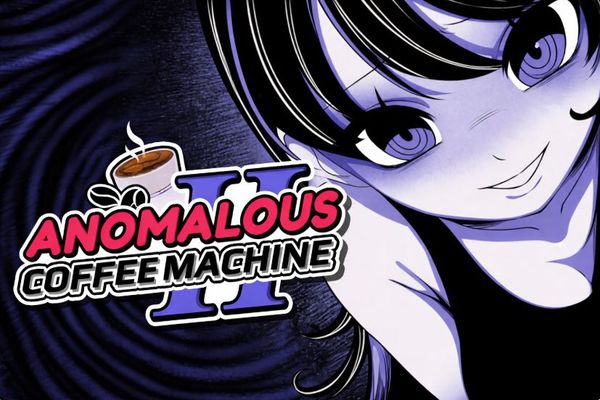
Anomalous Coffee Machine Game Image

No comments yet. Be the first to share your thoughts!