Extreme Run 3D turns a rolling ball into a high-speed test of steering and timing. Neon 3D tracks rush beneath you while spikes, gaps, and sudden route changes demand quick choices. Every jump needs a clean read. Every turn needs control.
This is a single-player 3D rolling-ball endless runner. You guide the ball through increasingly demanding stages instead of fighting another player. Four difficulty tiers shape the experience: Easy, Medium, Hard, and Extreme. Each higher tier brings a faster, harsher obstacle pattern.
Start with a few careful runs, then raise the pressure when the track feels familiar. You can play Extreme Run 3D online directly in your browser, or use its mobile version. Keep your eyes ahead, choose movements early, and start playing here when you are ready.
Mastering Extreme Run 3D Controls and Movement
Core movement
Extreme Run 3D gives you two keyboard layouts for left and right steering. Press the A key to move and steer left. Press the S key to move and steer right. You can also use the left arrow for left movement and the right arrow for right movement.
Pick one layout before the track becomes difficult. Switching between AN and the arrow keys during a tense section can slow your response. Arrow keys feel natural for players who keep both hands near the keyboard edges. The AN and S keys suit players who prefer a compact hand position.
Steer with small corrections rather than long, nervous holds. A rolling ball keeps moving forward, so every sideways input changes its line through the track. Tap or release the direction once the ball reaches a safer path. Constant steering often pushes the ball too far toward the next hazard.
Think in short movement goals. First, line up with the open section. Next, hold that line through the current surface. Then prepare for the next change. This method keeps your decisions clear when the 3D track starts moving quickly.
Jump timing
Use Space to jump from the keyboard. The up arrow also performs a jump. Press either input when the ball approaches a gap or spike section, not after the front edge reaches it.
Good timing comes from reading distance, not panic. Watch the track ahead and choose a jump point with enough room for the ball to clear the obstacle. Jumping too early can leave the landing short. Jumping too late gives the ball no useful height.
Extreme Run 3D Levels, Tiers, and Difficulty Progression
Easy to Extreme
The four named tiers create the clearest progression in Extreme Run 3D. Easy gives you the calmest place to learn steering and jump timing. Use it to understand how far the ball shifts after each direction press. Focus on clean lines instead of speed.
Medium asks for quicker reactions. You have less time to correct a poor approach, so begin reading the track earlier. Hard increases that demand again. Small steering errors become more costly when the obstacle pattern moves faster and feels harsher.
Extreme expects confident decisions. The ball still follows the same basic movement rules, but the pace leaves less room for hesitation. Treat each tier as a change in caution. Easy rewards learning, while Extreme rewards sharp reads and decisive movement.
How level structure changes the pace
Each level works best as a short test of route reading. Early sections let you settle your steering rhythm. Later sections ask you to connect that rhythm with well-timed jumps. Higher tiers compress the time between those decisions.
Do not carry Easy habits unchanged into Hard or Extreme. On faster tiers, look farther down the track and set your position before the obstacle reaches you. A patient approach can still work, but late reactions become much harder to fix.
What the level count means
Published browser versions do not show one consistent level total. Avoid treating a single number as universal. The reliable structure is the four-tier system and its rising speed and obstacle pressure.
Use the level display in your current version as a guide, not a promise about every build. That keeps your expectations clear while preserving the shared progression.
Reading Obstacles Before They Force a Reset
Spikes and gaps
Spikes and gaps punish late decisions. Read their position as soon as they enter view. Then choose whether the ball needs a sideways adjustment, a jump, or both. Do not wait until the obstacle sits directly beneath the ball.
For spikes, aim for the cleanest open line rather than the shortest path. A small shift often works better than a wide sweep. Wide movement can place the ball near another danger before you have time to react. Keep the ball moving toward open space, but avoid chasing every tiny gap in the track.
Gaps require a different kind of focus. Check the landing area before you jump. If the next safe surface sits to one side, begin steering toward it before takeoff. A straight jump may clear the gap but still leave the ball poorly placed for the landing.
Watch the track edges, too. A safe center line can disappear when the surface narrows. Move early, then release the direction input once the ball lines up. This creates a calmer approach and gives you more attention for the next obstacle.
Pattern recognition
Look for repeated shapes instead of reacting to each object alone. A spike followed by a gap creates a two-part decision. Plan the jump and landing together. That prevents a successful first move from creating a bad second position.
Notice how much track remains after each hazard. Use that space to reset your line before the next challenge. With practice, you will read the route as a sequence of openings, jumps, and landings rather than as separate surprises.
Ready for a faster run? Try Extreme Run 3D right here and test your timing on the next tier.
Browser Play, Mobile Access, and Session Length
Instant browser access
Extreme Run 3D runs directly in the browser through Unity WebGL. That makes it easy to start a session without changing how the game handles movement. The browser version uses keyboard controls for steering and jumping.
Browser play suits quick attempts. You can focus on one tier, learn one route, and stop after a short run. Return with a clear goal instead of rushing through every difficulty at once.
Google Play version
The Google Play version brings the rolling-ball runner to Android and mobile devices.
Swipe up to jump. Keep your touch movement deliberate, especially when the ball approaches a narrow landing. The mobile version shares the core rolling-ball challenge across a different play setting.
Short-run pacing
Each attempt gives you a focused burst of play. Start on Easy, build a steady rhythm, then move upward when your choices feel automatic. Short sessions make it simple to practice one weakness at a time.
Extreme Run 3D Strategy for Consistent Finishes
Staying centered
Centering does not mean keeping the ball perfectly still. It means preserving room on both sides for the next decision. Start each open section by checking where the track leads. If the next hazard sits left, avoid drifting too far right before the approach.
Use brief steering inputs. Press left or right, watch the ball respond, then ease off. This keeps your path stable and prevents overcorrection. Long holds may feel useful at first, but they make fine positioning harder near spikes and gaps.
Build a simple scan pattern during every run. Check the current surface, glance beyond it, and then return your focus to the landing line. That rhythm helps you prepare without ignoring the ball beneath you.
When the tier gets faster, move earlier rather than steering harder. Early positioning leaves space for a small correction. Late positioning usually demands a sharp move, which can carry the ball beyond the safe route.
Keep your hands ready for the next choice. After a jump, do not relax immediately. Judge the landing, identify the next open section, and settle the ball before the following obstacle arrives. Consistent finishes come from linked decisions, not one dramatic save.
Safer jump choices
Choose jumps that solve the whole approach. Line up with the landing before pressing Space or the up arrow. A jump that clears the immediate spike but misses the next surface does not create a safe route.
On Easy and Medium, use extra track space to learn your jump distance. On Hard and Extreme, commit sooner because the faster pattern leaves less time. Jump from a stable line, then steer only as much as the landing requires.
Start playing Extreme Run 3D now and turn careful movement into reliable finishes.
What the Game Is Asking Players to Do
Reflex challenge
Extreme Run 3D asks you to make fast choices with limited time. You read the track, select an open line, and commit before the obstacle reaches the ball. The challenge grows when the tier speeds up and makes each decision more urgent.
Strong play combines quick reactions with early planning. Reflexes handle the sudden moment, while preparation prevents that moment from becoming a panic move.
Ball control focus
The ball remains the center of every decision. You are not managing a character, weapon, or vehicle. You are shaping one rolling path through a 3D track.
That focus makes small inputs matter. A slight direction change can protect the next landing, while a careless hold can ruin an otherwise clean approach.
Why the pace feels intense
The game keeps forward movement active while you steer and jump. You cannot pause the track mentally for long. Each safe landing immediately becomes the setup for another choice.
Higher tiers increase speed and obstacle harshness. That pressure turns familiar movement into a sharp test of timing, focus, and control.
Compare with Similar Games
| Game |
Why Similar |
| Tunnel Rush |
Player must steer a runner through a fixed obstacle course by moving left/right and avoiding collisions. |
| Slope |
Player continuously guides a rolling object down a track while avoiding hazards. |
✨ Key Features of Extreme Run 3D
- Four difficulty tiers
- Rolling ball control
- Jump-based obstacle avoidance
- Camera angle toggle
- Hide controls toggle
How to Play Extreme Run 3D
Step 1: Use the game controls
Use A Key to move and steer left. Use S Key to move and steer right. Use Space to jump. Use Arrow left to move and steer left.
Step 2: Start with the first level
Begin on the earliest available stage and learn the lane rhythm before chasing speed.
Step 3: Move with short corrections
Use left and right movement in small adjustments instead of oversteering across the track.
Step 4: Jump only when the landing is clear
Press jump for gaps and ground hazards, but avoid panic jumps that leave you floating into the next trap.
Step 5: Use the camera toggle if needed
If the view feels awkward, switch the camera angle when the build offers that option.
Step 6: Treat each difficulty as faster practice
Easy teaches timing, while later tiers demand tighter reactions and cleaner reads of obstacles.
Step 7: Restart mentally after each fall
A reset usually means the mistake came from position or timing, so adjust one habit before the next attempt.
Extreme Run 3D FAQs
What are the basic controls for Extreme Run 3D?
Browser keyboard: Player 1: A Key — move and steer left; Player 1: S Key — move and steer right; Player 1: Space — jump; Player 1: Arrow left — move and steer left; Player 1: Arrow right — move and steer right; Player 1: Arrow up — jump. Mobile: Player 1: tap left and swipe — swipe left; Player 1: tap right — swipe right; Player 1: swipe Up — jump.
Does Extreme Run 3D require a separate installation?
No. The browser version of Extreme Run 3D runs on the page without a separate installation.
How do the difficulty tiers work?
The common pattern is that speed and obstacle complexity increase as you move upward through those tiers.
Conclusion
Extreme Run 3D delivers a focused 3D rolling-ball endless runner experience in singleplayer mode. Its clear appeal comes from four difficulty tiers—Easy, Medium, Hard, and Extreme—with faster and harsher obstacle patterns at higher settings. This gives each run a distinct rhythm while keeping the rolling-ball format direct and engaging.
Choose a difficulty and play Extreme Run 3D right here on this page.
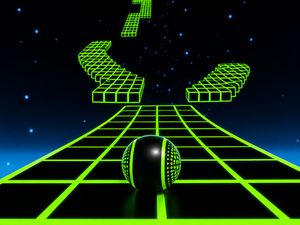
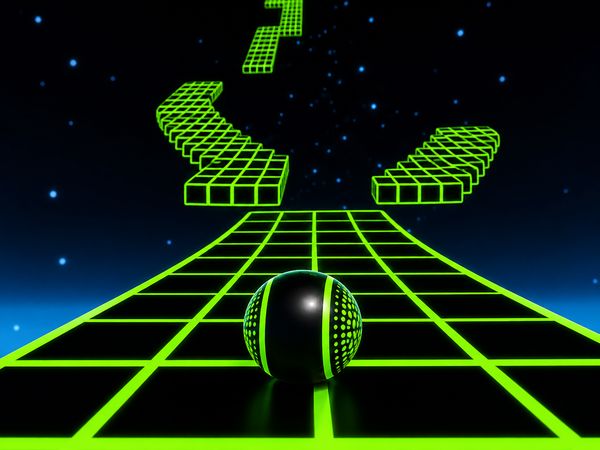
Extreme Run 3D Game Image

No comments yet. Be the first to share your thoughts!